
In-House IT vs Managed IT Services: Which Is Better?
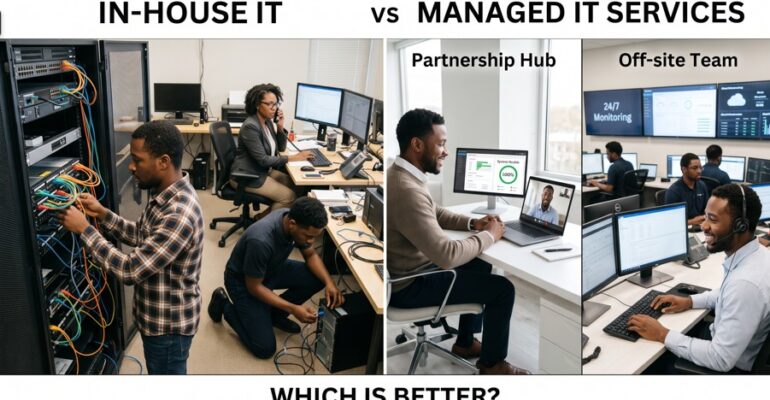
In-House IT vs Managed IT Services: Which Is Better?
 Lagetronix
Your business needs IT expertise. But does every IT capability need to sit on your payroll?
As businesses become more dependent on cloud platforms, cybersecurity, Microsoft 365, ERP systems, networks, servers, AI and business applications, one question becomes increasingly important:
Should your organisation continue building an internal IT team, outsource IT management, or combine both approaches?
The decision between In-House IT vs Managed IT Services should not be based on salary or monthly service fees alone. Businesses need to compare expertise, cybersecurity capabilities, availability, business continuity, scalability and the total cost of maintaining reliable IT operations.
A growing company may have one internal IT administrator responsible for everything from password resets and laptops to Microsoft 365, networks, cybersecurity, servers, cloud infrastructure and backups.
That model may work initially.
But as the organisation grows, so does the technology environment.
Eventually, leadership needs to ask:
Does every technology capability we need have to sit permanently on our payroll?
For some organisations, the answer will be yes.
For others, outsourcing will provide a stronger operating model.
And increasingly, the best answer may be somewhere in between.
What Is an In-House IT Team?
An in-house IT team consists of employees directly responsible for managing the organisation’s technology environment.
Depending on company size, responsibilities may include:
- End-user IT support
- Networking
- Servers
- Cybersecurity
- Microsoft 365
- Cloud infrastructure
- Business applications
- ERP support
- Backup and recovery
- Hardware procurement
- IT strategy
- Vendor management
Larger organisations may have specialists for each area.
Smaller businesses often depend on one or two employees to handle nearly everything.
That difference matters.
What Are the Advantages of In-House IT?
Deep Understanding of the Business
Internal IT employees work inside the organisation every day.
They understand:
- Employees
- Processes
- Applications
- Business priorities
- Organisational culture
- Recurring technology problems
That institutional knowledge can make troubleshooting and decision-making easier.
Immediate Physical Availability
An employee based in the office can quickly investigate physical problems involving devices, networks, printers or other infrastructure.
Direct Management Control
The organisation has direct oversight of priorities, employees and daily IT operations.
Stronger Integration With Internal Teams
IT employees can participate closely in finance, operations, HR, sales and management discussions.
These are meaningful advantages and should not be ignored simply because outsourcing is available.
What Are Managed IT Services?
Managed IT Services involve outsourcing agreed areas of technology operations to a specialist provider.
Instead of contacting a technician only when something breaks, the organisation establishes an ongoing relationship covering clearly defined responsibilities.
These can include:
- Helpdesk services
- Remote technical support
- Onsite support
- Microsoft 365 management
- Network management
- Server support
- Cybersecurity
- Endpoint management
- Cloud support
- Backup monitoring
- Disaster recovery
- Patch management
- User administration
- Technology documentation
- Strategic IT planning
The objective is to move from:
Break → Call → Repair
toward:
Monitor → Maintain → Secure → Support → Recover → Improve
A capable provider should therefore become part of the organisation’s technology operating model, not simply another technician on call.
In-House IT vs Managed IT Services: What Should Businesses Compare?
When evaluating In-House IT vs Managed IT Services, leadership should consider much more than who answers support tickets.
The right model should provide the organisation with an effective combination of business knowledge, specialist expertise, cybersecurity, reliability, scalability and predictable support.
Here are the major areas to compare.
1. Cost
Cost is usually where the discussion begins.
But comparing an employee’s salary to a Managed IT Services invoice is an incomplete calculation.
In-House IT Costs
The total cost can include:
- Salary
- Pension and benefits
- Recruitment
- Training
- Certifications
- Leave
- Equipment
- Software tools
- Monitoring platforms
- Security tools
- Specialist consultants
- Employee replacement and recruitment
The organisation may also need several employees to cover multiple technology disciplines adequately.
Managed IT Services Costs
An outsourced arrangement may include:
- Monthly service fee
- Monitoring
- Helpdesk
- Microsoft 365 administration
- Infrastructure management
- Scheduled onsite support
- Cybersecurity
- Backup monitoring
- Reporting
Some items may still be charged separately, including:
- Hardware
- Software licences
- Cloud consumption
- Major implementation projects
- Infrastructure upgrades
- Work outside the agreed SLA
Therefore, compare total cost of capability, not simply payroll versus monthly invoice.
2. Range of Expertise
Modern IT environments require several distinct areas of expertise.
Consider the skills a growing business may require:
- Microsoft 365
- Microsoft Azure
- Networking
- Cybersecurity
- Servers
- Backup
- Disaster recovery
- Endpoint management
- ERP
- Business applications
- Identity and access
- Automation
Expecting one employee to operate at specialist level across every area is increasingly unrealistic.
A Managed IT Services Provider can potentially give a company access to several specialists without requiring the organisation to employ each capability separately.
However, businesses should verify that the provider genuinely has those competencies.
A long services list on a website does not automatically equal technical depth.
Ask about certifications, technical resources, partnerships, escalation capability and implementation experience.
3. Availability and Key-Person Risk
What happens when your only IT administrator is:
- On leave?
- At training?
- Unwell?
- Handling another critical incident?
- Leaving the company?
This creates key-person dependency.
A well-structured Managed IT Services arrangement reduces that risk by placing responsibility with a service organisation rather than a single individual.
The provider should have an escalation structure so difficult incidents can move from first-line support to more specialised technical resources.
This is particularly important when technology supports critical operations.
4. Cybersecurity
Cybersecurity has become too important to treat as somebody’s secondary responsibility.
Modern organisations must think about:
- Endpoint security
- Identity protection
- Multi-factor authentication
- Email security
- Network security
- Firewalls
- Cloud security
- Patching
- Backups
- Privileged access
- Incident response
Outsourcing IT does not mean outsourcing accountability for cybersecurity.
CISA recommends that Managed Service Providers and their customers clearly define ownership of security responsibilities, use multi-factor authentication for MSP accounts accessing customer environments, and manage access appropriately. Read the CISA guidance for MSPs and customers. [cisa.gov]
Whether cybersecurity is managed internally or externally, leadership should know exactly who owns each security responsibility.
5. Business Continuity and Disaster Recovery
Imagine that your critical business application becomes unavailable at 9:00 a.m. tomorrow.
Who owns recovery?
How quickly will the problem be detected?
Where is the latest usable backup?
Has that backup ever been restored successfully?
Which application needs to return first?
Who communicates with management?
Who coordinates external vendors?
These are business questions, not simply technical questions.
CISA recommends prioritising backups based on business value, checking backup logs for failures and inconsistencies, and developing and testing recovery plans. Review CISA’s resilience guidance. [cisa.gov]
The real objective is not simply:
“We have backups.”
It should be:
“We know how to recover the systems the business depends on.”
6. Service Levels and Accountability
An internal employee usually operates according to job responsibilities.
A Managed IT Services Provider should additionally operate under an agreed Service Level Agreement (SLA).
The SLA can define:
- Support hours
- Incident classifications
- Response targets
- Escalation procedures
- Availability commitments
- Responsibilities
- Exclusions
According to Microsoft Learn, an SLA is a contractual commitment between a service provider and customer and should be read carefully because definitions, conditions and exclusions affect what the provider actually guarantees. See Microsoft’s guidance on Service Level Agreements. [learn.microsoft.com]
Businesses should therefore avoid vague agreements promising only:
“Fast support.”
Define what fast means.
7. Scalability
A business with 25 employees today may have:
- 60 employees next year
- Multiple locations
- Remote workers
- Additional cloud workloads
- New business applications
- New cybersecurity requirements
IT operations must scale accordingly.
With an internal-only model, expansion may require:
- New recruitment
- Additional specialists
- More management
- Additional monitoring tools
- New support procedures
A Managed IT Services model can potentially extend capacity more quickly because shared technical resources already exist.
But scalability should not be assumed.
Ask whether the provider can support:
- Multiple sites
- Cloud expansion
- Remote teams
- Additional users
- Complex networks
- Business-critical applications
8. Technology Strategy
A strong technology function should do more than close support tickets.
Leadership needs guidance on questions such as:
- Should we move workloads to Azure?
- Is our network capable of supporting expansion?
- Is Microsoft 365 configured securely?
- Should we replace ageing servers?
- Are our backups adequate?
- Where can automation improve efficiency?
- What technology should we budget for next year?
- Where are our biggest IT risks?
This is where Managed IT should move beyond helpdesk support.
The relationship should evolve from:
“Fix this problem.”
to:
“Help us decide what comes next.”
9. Business Knowledge
This is one area where internal IT can have a substantial advantage.
Internal employees understand:
- Organisational culture
- Executive preferences
- Existing processes
- Users
- Informal dependencies
- Departmental priorities
An external provider must work deliberately to build this understanding.
Poorly managed outsourcing can create frustration if end users repeatedly need to explain the business context behind technical problems.
A mature Managed IT Services Provider should therefore invest in:
- Documentation
- Account management
- Regular service reviews
- Technical discovery
- Business understanding
- Strategic planning
This is also why companies do not necessarily need to choose between completely internal and completely outsourced IT.
You May Not Have to Choose: The Co-Managed IT Model
One of the strongest technology operating models for growing organisations is co-managed IT.
Under this approach, the organisation retains an internal IT employee or team while outsourcing selected responsibilities to a specialist provider.
For example:
Internal IT May Retain
- Business relationships
- Internal strategy
- Application ownership
- Executive support
- Vendor coordination
The Managed IT Provider May Handle
- Helpdesk
- Microsoft 365
- Infrastructure monitoring
- Cybersecurity
- Azure
- Backup
- Network management
- Specialist escalation
This allows the organisation to maintain internal business knowledge while gaining access to broader specialist capabilities.
For many medium-sized organisations, this can provide a practical balance.
Which IT Model Is Right for Your Business?
There is no universal answer.
Fully In-House IT May Fit When:
- The organisation is large enough to maintain specialist IT functions.
- IT is central to the company’s core intellectual property.
- Specialised internal knowledge is essential.
- The business requires extensive daily technical presence.
Fully Managed IT May Fit When:
- There is no internal IT department.
- The organisation needs professional support without building a large team.
- IT requirements have become too broad for general administration.
- The business wants predictable support arrangements.
Co-Managed IT May Fit When:
- You already have an IT team.
- The internal team is overloaded.
- Specialist cybersecurity or cloud expertise is missing.
- Helpdesk demand consumes too much internal time.
- The organisation needs escalation capability.
- Growth is increasing technology complexity.
Signs Your Internal IT Team Needs Additional Support
Even an excellent team can become overstretched.
Warning signs include:
- Tickets remaining unresolved for too long
- Strategic projects constantly delayed
- Cybersecurity receiving insufficient attention
- Backups rarely tested
- Documentation becoming outdated
- Employees constantly interrupting IT staff
- Cloud environments receiving limited optimisation
- One person holding critical technical knowledge
- Maintenance frequently being postponed
- IT operating entirely reactively
These symptoms do not necessarily mean the internal team is underperforming.
The team may simply have more responsibility than available capacity.
Questions to Ask Before Outsourcing IT
Before appointing a provider, ask:
- What services are included?
- What services are excluded?
- What are your SLA response targets?
- Do you provide remote and onsite support?
- Who manages cybersecurity?
- Do you support Microsoft 365?
- Can you manage Microsoft Azure?
- How do you monitor backups?
- How do you test recovery?
- Who owns technical documentation?
- How are critical incidents escalated?
- What happens outside standard business hours?
- How do you work with existing internal IT staff?
- How will you understand our business?
- How can the arrangement scale as we grow?
The contract should clearly document responsibilities, particularly around cybersecurity. This aligns with CISA’s recommendation that MSP/customer arrangements transparently define ICT security roles. [cisa.gov]
Why Businesses Choose Lagetronix for Managed IT Services
At Lagetronix, we believe IT outsourcing should not simply replace one technician with another.
The objective should be to build a more structured technology operating model.
Our capabilities include:
- Managed IT Services
- IT helpdesk and end-user support
- Microsoft 365
- Microsoft Azure
- Network infrastructure
- Server support
- Cybersecurity
- Endpoint management
- Backup and disaster recovery
- ERP solutions
- Systems integration
- Business automation
- Technology advisory
For businesses that already have internal IT resources, Lagetronix can also support a co-managed approach where our specialists complement the internal team’s knowledge and capacity.
The objective is straightforward:
Keep systems reliable today while helping the organisation prepare for what comes next.
Frequently Asked Questions
What is the difference between In-House IT vs Managed IT Services?
In-House IT vs Managed IT Services describes two different approaches to operating business technology. In-house IT uses employees directly employed by the organisation, while Managed IT assigns agreed technical responsibilities to an external provider under a service arrangement.
Are Managed IT Services cheaper than hiring IT staff?
Not always. The comparison should include salary, benefits, recruitment, tools, training, specialist expertise and coverage requirements against the complete cost and scope of the managed-service agreement.
Can Managed IT Services replace an internal IT team?
Yes, particularly for businesses without specialist internal IT resources. However, some organisations benefit more from combining internal staff with external specialists.
What is co-managed IT?
Co-managed IT combines an internal technology team with a Managed IT Services Provider. Responsibilities are divided according to skills, capacity and business requirements.
Does Managed IT include cybersecurity?
It can, but cybersecurity services should be explicitly defined in the agreement. Businesses should confirm responsibilities for endpoints, identity, monitoring, backups, incident response and privileged access.
Can a Managed IT provider support Microsoft 365 and Azure?
A provider with appropriate Microsoft expertise can manage services including Microsoft 365 and Azure. Businesses should verify the provider’s actual capabilities before signing an agreement.
Does outsourcing IT mean losing control?
It should not. A strong managed-service agreement defines responsibilities, access, reporting, documentation, escalation and governance arrangements.
The Best IT Model Is the One That Supports the Business
Ultimately, choosing between In-House IT vs Managed IT Services depends on your organisation’s size, technology complexity, internal capabilities, cybersecurity requirements and growth plans.
There is no universal winner.
Some organisations need fully internal specialist teams.
Others benefit from outsourcing most technology operations.
Many growing businesses may find that a co-managed approach offers the strongest combination of internal business knowledge and external technical expertise.
The real objective is not deciding who employs the IT engineer.
It is ensuring that your business technology is:
- Reliable.
- Secure.
- Supported.
- Recoverable.
- Scalable.
Because when technology supports critical business operations, IT capability becomes part of business resilience.
Should You Hire More IT Staff or Outsource?
You do not need to make the decision based on assumptions.
Talk to Lagetronix about an IT Operations & Managed Services Assessment.
We can evaluate your:
- Current IT resources
- Users and devices
- Microsoft 365 environment
- Cloud infrastructure
- Network
- Cybersecurity
- Backup and recovery
- Support workload
- Business growth plans
Then determine whether your organisation is better suited to:
In-House IT. Managed IT. Or Co-Managed IT.
Move from reactive IT support to proactive technology operations.
📞 09165120977 | 0802 290 7805 | 02018880031
📧 Email: info@lagetronix.com
📍 9 Olaiya Street, opposite Governor’s Avenue, Alausa, Ikeja, Lagos


